
Buying a Phone in the UAE: Warranty, TDRA Approval and What to Check
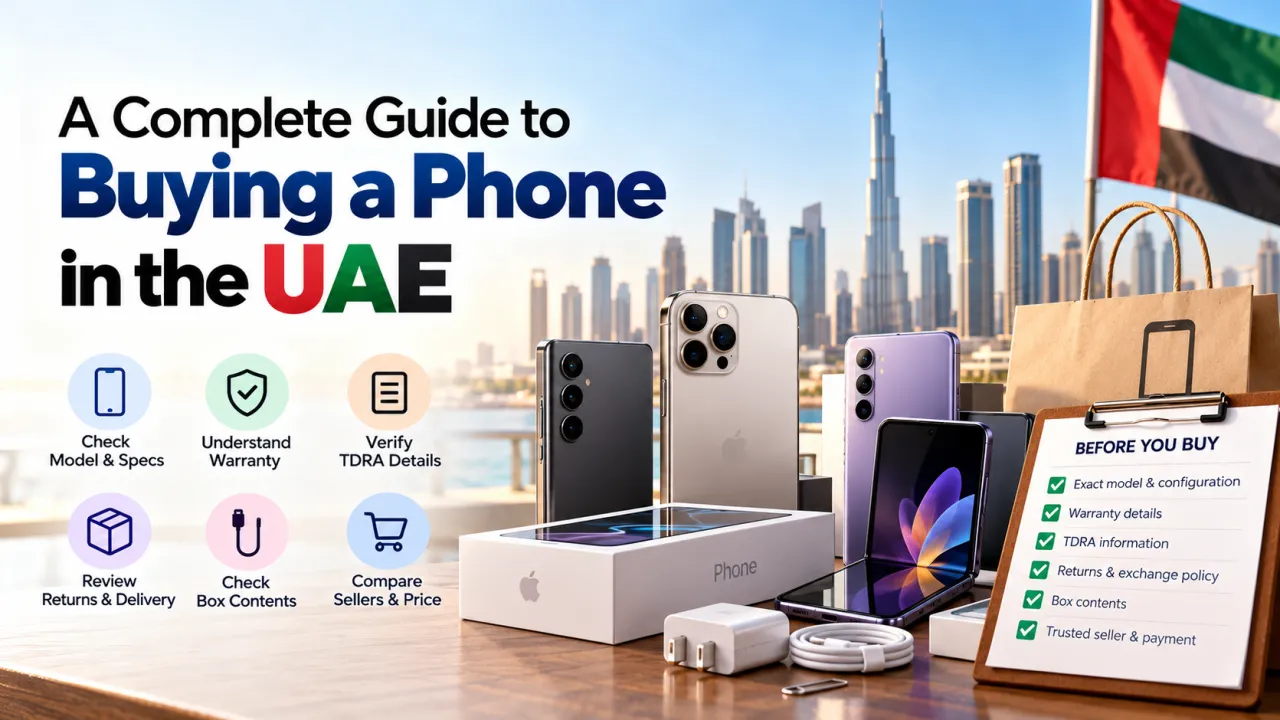
Use this practical checklist to compare the exact phone version, seller, warranty, TDRA information, return terms and delivery details before ordering in the UAE.
Buying a phone in the UAE can involve comparing several versions of the same model, different sellers and different warranty arrangements. A low headline price does not tell you everything about the product or the service you will receive. Before ordering, confirm what exact device is being sold, who is responsible for warranty support, which accessories are included, and what the return and delivery terms say. This guide is a practical checklist, not legal advice; always confirm current requirements and product details with the retailer, manufacturer and relevant UAE authorities.
Confirm the exact model and configuration
Start with the full product name, storage, colour and any regional designation shown on the listing. Two phones can share a family name while differing in storage, SIM support, network bands, charger contents or other details. Check the product specifications and packaging description rather than relying on the hero image. If the listing offers variants, make sure the selected option matches the configuration you intend to buy.
Look for the model number where the seller provides it. This can help distinguish regional variants that otherwise have nearly identical names. If you depend on a particular eSIM, dual SIM, connectivity or charging feature, ask the seller to confirm that it is supported on the exact unit. Compatibility claims should relate to the model being sold, not another phone in the same series.
Ask what the warranty covers
Warranty wording should explain who provides support, how long coverage lasts, and how a claim is started. Check whether service is handled by the manufacturer, an authorised service channel or the retailer. Confirm what proof of purchase you should keep and whether support is available in the UAE. If the listing says official warranty, ask what that phrase means for the specific product and how you can verify it after delivery.
Read exclusions and service conditions. Accidental damage, liquid exposure, unauthorised repair, consumable parts and software issues may be treated differently from a manufacturing fault. Ask where the device must be taken or sent, who pays for shipping during a claim, and what the expected service process is. A clear answer before purchase is easier to rely on than an assumption made after something goes wrong.
Check TDRA information carefully
TDRA is the UAE Telecommunications and Digital Government Regulatory Authority. When a listing refers to TDRA approval or registration, ask the seller what that statement applies to and how the device can be identified. Read the model and product description carefully; do not assume that a logo in a photograph applies to every regional version. If you need a definitive answer about current device requirements, consult the official authority information or ask the retailer to provide verifiable details.
Also distinguish regulatory information from warranty promises. A device being described with a compliance claim does not, by itself, explain who will repair it, how long coverage lasts or what the return terms are. Review each point separately. Keep written product details and seller responses with your order records.
Understand returns, exchanges and cancellations
Before payment, check the retailer's current return and exchange conditions. Look for the period in which a return may be requested, the condition the packaging and product must be in, and how a fault or incorrect item is handled. Confirm whether opened packaging, activated devices or missing accessories affect eligibility. These details can vary by seller and product, so use the terms that apply to your specific order.
If the phone arrives damaged or differs from the listing, document the condition promptly. Keep the outer packaging, accessories and order confirmation while you contact the seller through the stated support channel. Clear photographs and a concise description can help explain the issue. Follow the seller's written instructions rather than attempting a repair that could affect later support.
Review what is in the box
Do not assume a wall charger, case, screen protector, cable or headphones are included. Manufacturers change box contents across products and markets. Check the listing's included-items section and ask if something matters to your setup. If you need a separate charger, verify the connector and power standard supported by the phone, then choose a compatible accessory from a reliable source.
For a device you plan to use with existing accessories, confirm physical and wireless compatibility. The presence of a familiar charging port does not guarantee every fast charging feature works with every adapter. Likewise, a case for a similarly named model may not fit its camera layout or dimensions.
Compare seller details and payment records
Confirm the seller's name, contact details and support process. Keep the invoice or order confirmation, payment record, serial or IMEI details when provided through the appropriate channel, and any written warranty terms. Use a trusted payment method and review the amount and currency before approving the transaction. The listed price should match the chosen storage and colour variant before checkout.
Be cautious if a seller avoids answering basic questions, changes the description after you ask, or pressures you to make payment through an unrelated channel. A trustworthy offer should be explainable in plain language. Ask for the final total, including delivery or optional accessories, before you place an order.
Inspect the phone when it arrives
Check the package and product promptly. Confirm the model, storage, colour and included items against the order. Inspect the screen, camera glass, ports and body for visible damage. Power on the phone and follow its initial setup instructions. If a serial number or IMEI appears on the box and device, compare them as described by the manufacturer and retailer, taking care not to post these identifiers publicly.
Keep your proof of purchase and warranty details somewhere secure. Set up the device only after confirming that you received the version you ordered. If something is incorrect, contact the seller quickly and retain all packaging until the issue is resolved.
Before-you-buy checklist
- Verify exact model, regional version, storage and selected colour.
- Get the warranty provider, duration and claim process in writing.
- Check what TDRA or compliance wording specifically refers to.
- Read return, exchange, cancellation and delivery terms.
- Confirm box contents and accessory compatibility.
- Keep the order confirmation and payment record.
A careful purchase does not need to be complicated. Compare the product description, warranty, service and return details alongside the price. Ask for clarification on any point that affects your use. Once the phone arrives, check that the delivered configuration matches your order and save the documents you may need later. This simple routine helps you choose with confidence and makes support easier if you need it.
Common questions
Does “official warranty” always mean the same thing? No. Ask who provides the coverage, where service is handled and what proof is required for the exact product.
Should I rely on a product image for the regional version? No. Read the model details and ask the seller to confirm the exact unit.
What if the delivered phone is not the configuration I ordered? Keep the packaging and order record, document the difference and contact the retailer through its official support process promptly.
Frequently Asked Questions
What is the first thing to check on a phone listing in the UAE?
Match the exact model number, storage capacity, colour, condition, and included items to what you intend to buy. Similar names can refer to different configurations or regional variants.
What details should I confirm about the warranty?
Ask who provides the warranty, how long it lasts, where service is available, what is excluded, and which documents are needed for a claim. Keep the invoice and written warranty details.
Why should I check TDRA information?
Check that the advertised device and seller information are consistent with the applicable UAE requirements. If a listing makes a compliance claim, ask the seller for the specific information supporting it.
What return terms should I review before ordering?
Check the time limit, condition requirements, packaging rules, refund method, and whether delivery or handling fees apply. Save a copy of the terms shown at purchase.
What should I do when the phone arrives?
Check the packaging and model details, keep the invoice, and confirm the device matches the order. Follow the seller or manufacturer instructions for activation and warranty registration, if applicable.