How to Choose the Right Phone Storage in 2026
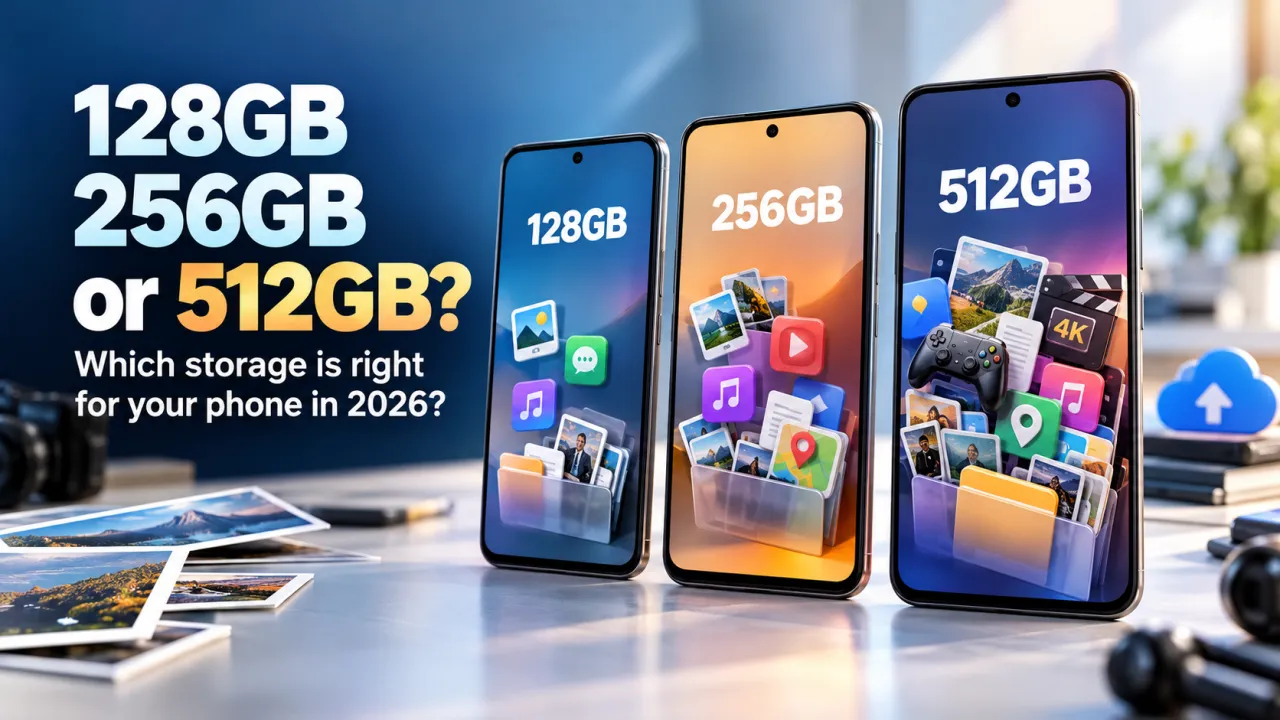
A practical guide to choosing 128GB, 256GB or 512GB of phone storage based on your photos, videos, apps, downloads and upgrade habits.
Choosing phone storage is a decision you live with every day. A model name can sound right, and a price can look attractive, but the available space determines how comfortably you keep photographs, videos, applications, downloads and offline files on the device. In 2026, 128GB, 256GB and 512GB are common choices across many phone ranges. The best one depends less on the biggest number and more on what you actually store, how long you keep a phone, and whether you regularly move files elsewhere.
First, understand what the storage number means
Storage is the space used for your personal files and for the phone's operating system and applications. A phone advertised with 128GB does not provide the full amount as empty space on its first day. System software, preinstalled apps and updates use part of it. Photos, messaging attachments, downloaded music, maps, games and video then use more. This is different from memory, often called RAM, which helps the phone keep apps ready while you switch between them. More storage does not automatically make a phone faster, and more RAM does not give you more room for photographs.
Before buying, look at the storage shown in the phone settings on your current device. Check the total used, then open the largest categories. This quick inspection is more useful than guessing from the size of your photo gallery. If your current phone has 128GB and still has plenty of free room after years of use, you may not need to double your capacity. If it constantly warns that space is low, identify what is filling it before choosing the next model.
Who can comfortably choose 128GB?
128GB can suit people who mostly stream entertainment, use everyday messaging and social apps, take a moderate number of photos, and are comfortable removing downloads they no longer need. It can also work well for someone who replaces a phone regularly and backs up important files. A lighter user may find that paying for a higher configuration adds little practical value.
Be realistic about video and large games. A few high resolution recordings, maps saved for travel, or several large games can consume space much faster than ordinary documents. Some messaging apps automatically save images and clips, so a quiet group chat can steadily fill storage in the background. Review those settings if you want a 128GB phone to remain comfortable. A small amount of routine housekeeping can keep this configuration useful, but it should not become a weekly chore.
Why 256GB is a useful middle choice
256GB offers more breathing room for people who take photos often, keep music or video offline, install a broad range of apps, or plan to use the same phone for several years. It provides flexibility without requiring every file to be managed. If your phone is part camera, travel companion, work tool and entertainment screen, the middle configuration can reduce the number of times you need to make storage decisions.
Consider how your habits may change. A person who takes occasional snapshots may begin recording family events more often. A student may add lecture recordings and offline reading. Someone who travels may keep navigation maps, translation tools and entertainment available without a connection. Choosing 256GB can be sensible when the phone will stay in use longer than your current one. Compare the price difference with the value of avoiding constant file cleanup during that period.
When 512GB may be worth the extra cost
512GB is most useful for people who create or keep large files. That can include frequent high resolution video, extensive offline media, demanding games, large work documents, or a substantial personal photo archive stored directly on the phone. It also suits users who strongly prefer keeping files local instead of depending on cloud services or regular computer transfers.
Do not buy 512GB only because it is the largest option. If you stream most content, keep few games and routinely back up photographs, you may never use the extra capacity. Compare the cost of the higher configuration with other features that matter to you, such as battery, camera, screen or warranty. Storage is valuable when your pattern uses it; unused capacity does not improve photographs or make everyday apps better.
Photos, video and cloud backups
Pictures are often the first thing people think about, but video usually needs more room per minute. The exact amount depends on resolution, frame rate, compression and camera settings. A phone set to record at higher quality can create files substantially larger than casual clips. If you record events, product demonstrations or travel footage, look at your settings and current file sizes before deciding.
Cloud backup can help protect important memories and free local space, but it is not identical to having more built in storage. It depends on a reliable connection, an account with enough capacity, and a backup routine that has completed successfully. Some people prefer to keep originals locally, and some want to access files while travelling without mobile data. Think about subscription costs, upload time and privacy preferences as part of the comparison. A backup is most useful when it is enabled and checked, not merely assumed.
Can you add storage later?
Many current phones do not let you expand their internal storage with a memory card. Even when a model supports external storage, some apps and system files may need to remain in the built in space. Confirm the exact model's specifications rather than assuming every phone in a series has the same expansion option. If storage cannot be expanded, choose the capacity you can comfortably use throughout the phone's expected life.
Also check whether you can transfer files easily to a computer or external drive. A dependable transfer routine is useful for archiving large videos, but it requires time and a place to store the backup. Do not treat a cable transfer as a replacement for a proper second copy of irreplaceable files.
A simple decision checklist
- Check your current storage usage and the largest categories.
- Think about how many years you will keep your next phone.
- Count large games, offline media, camera recordings and work files.
- Decide whether you are comfortable using cloud backup or transferring files.
- Confirm whether the exact model supports expandable storage.
- Compare the price difference with features you would use every day.
For a light user, 128GB may be enough. For a broad mix of photography, apps and offline files, 256GB is a balanced starting point. For people who create or keep large media libraries, 512GB can be worthwhile. These are guideposts, not rules. Check the storage variants listed for the exact device, compare their current AED prices, and select the configuration that fits your real habits. A short review of your present phone can turn an uncertain choice into a practical one.
Common questions
Does more storage make a phone faster? Not by itself. Speed is influenced by the processor, software, memory and how much free space remains. Choosing more storage primarily gives you room for files and apps.
Should I choose 256GB if I use cloud photos? It can still be useful if you record video, download entertainment or want local copies. Cloud backup and internal storage solve related but different problems.
What should I check before ordering? Confirm the exact storage configuration in the product title and specifications. Nearby variants can look similar, so verify the selected option, colour, warranty and listed price before checkout.
Frequently Asked Questions
Is 128GB enough for everyday phone use?
It can be enough if you mainly stream content, use everyday apps, take a moderate number of photos, and back up or remove files regularly. Check your current storage use to see whether that would suit you.
Who should consider 256GB?
256GB can give more room to people who take many photos, keep downloads offline, use several large apps or games, or plan to keep a phone for years. Compare the price difference with your expected use.
When is 512GB useful?
512GB may help people who record or store large amounts of video, keep extensive offline media, use large games, or prefer to keep files on the phone. It may be unnecessary for lighter users who back up and stream.
Does a phone with more storage run faster?
More storage mainly provides more room for apps and files; it does not by itself make a phone faster. Performance also depends on the processor, memory, software, and available free space.
Can I add storage later with a memory card?
Many phones do not support memory-card expansion. Check the specifications for the exact model and region before buying, and choose an internal storage size that can accommodate your files over the time you plan to keep the phone.